Features
A tour of the screens
Everything shown here is built software, pictured with invented demo data. Features marked “needs development per location” do not work at a new location as they stand. They have to be developed for your airport, tanks or forms first. We confirm the scope, timing and any cost before you sign.
Plate 01 · Essentials plan and up
Arrivals and departures
Replaces The whiteboard behind the front desk and the printed daily schedule.
Every aircraft you expect or have on the ramp, on one board the whole crew shares.
- Arrivals and departures side by side, or a week calendar
- Scheduled and actual times, quick turns and multi-day stays
- Services and fuel requests on each flight
- Changes by other people appear without reloading
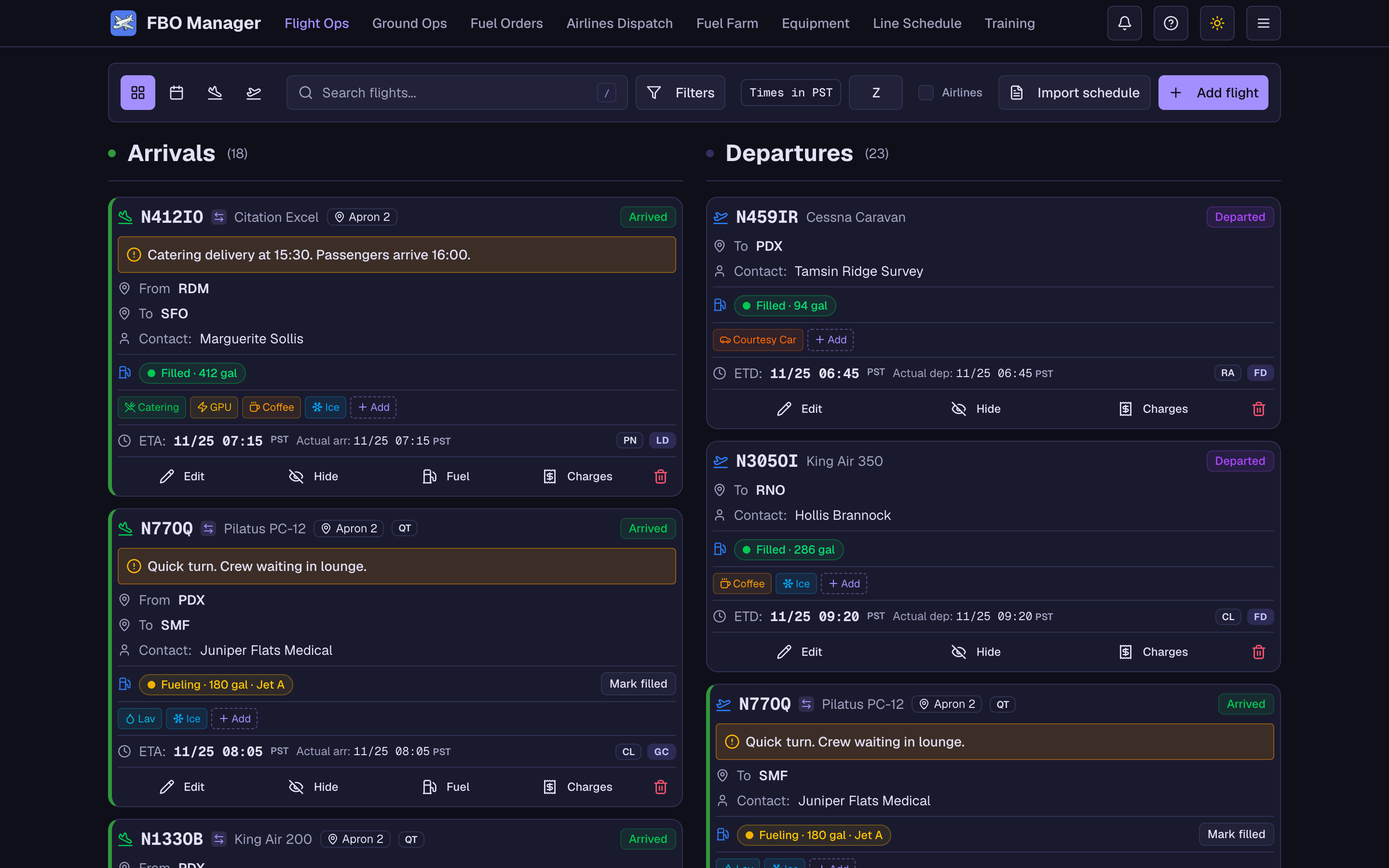
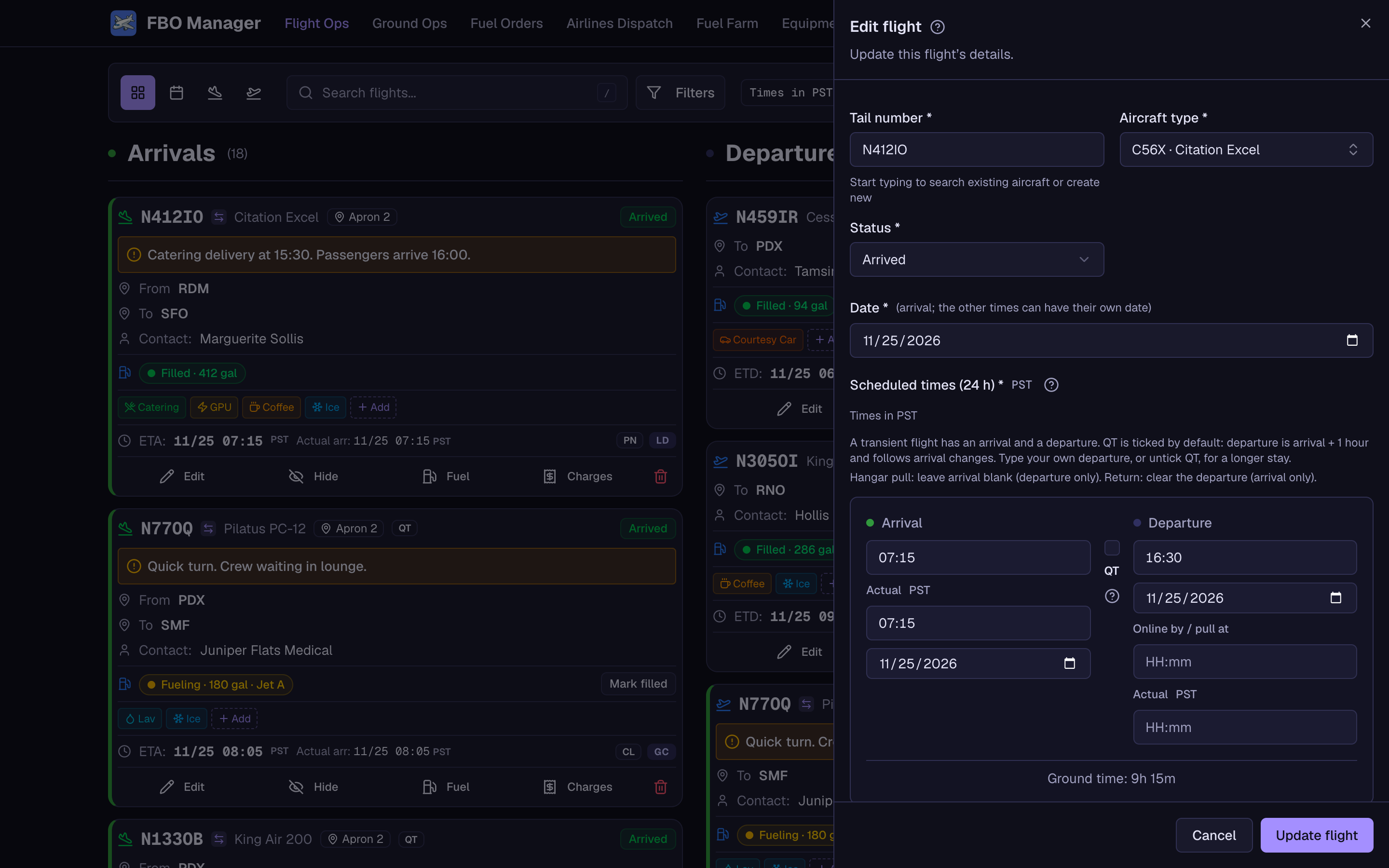
Plate 02 · Essentials plan and up
Ground Ops parking map
Replaces The nightly parking inventory sheet and the walk around the ramp to find a tail number.
See where every airplane is parked on a satellite map of your ramp, hangars and tie-downs.
- Place and turn each airplane; silhouettes are drawn to the size of the type
- Draw your own areas, and see the area name on the flight card
- The same map on a desk screen and on a phone
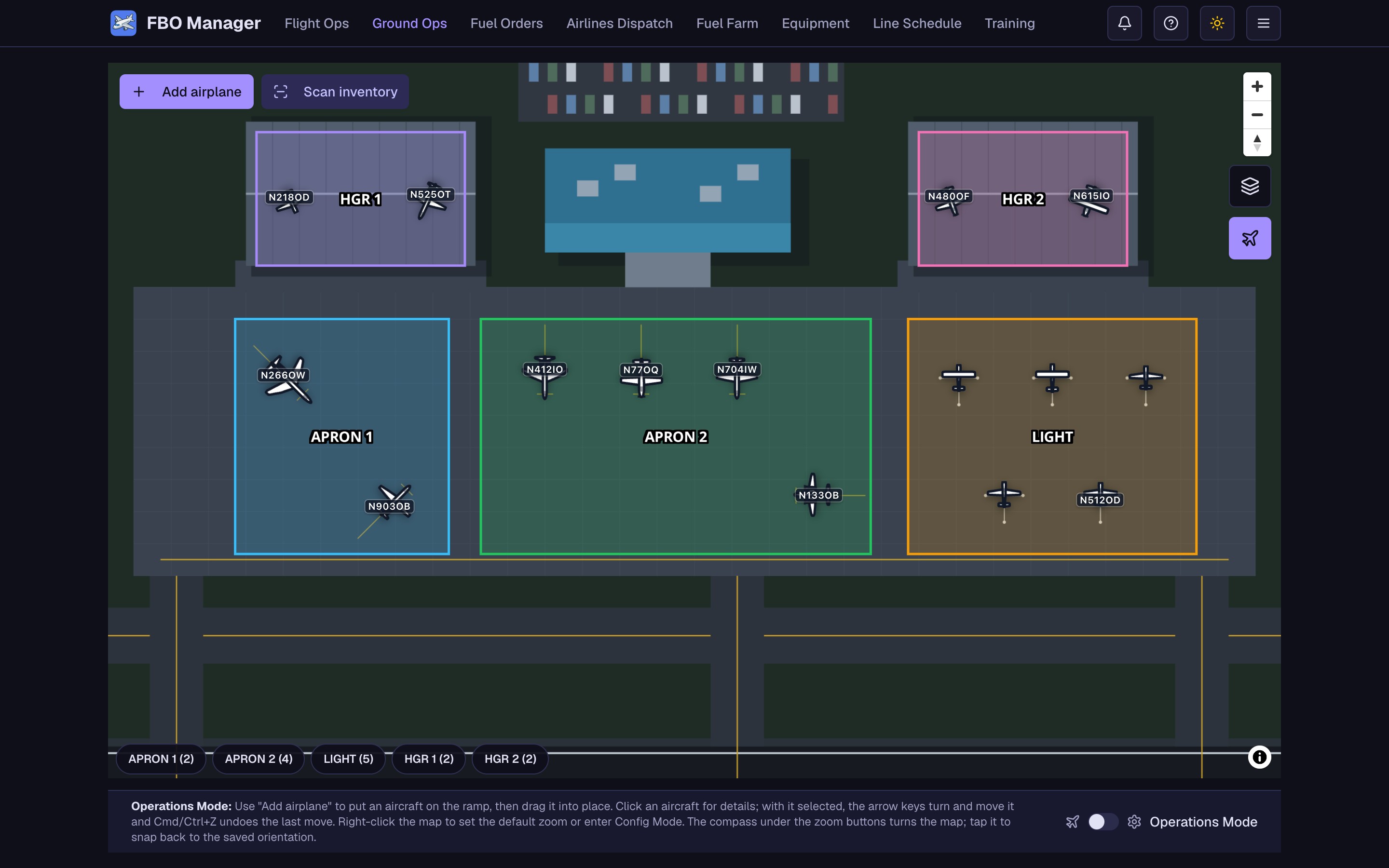
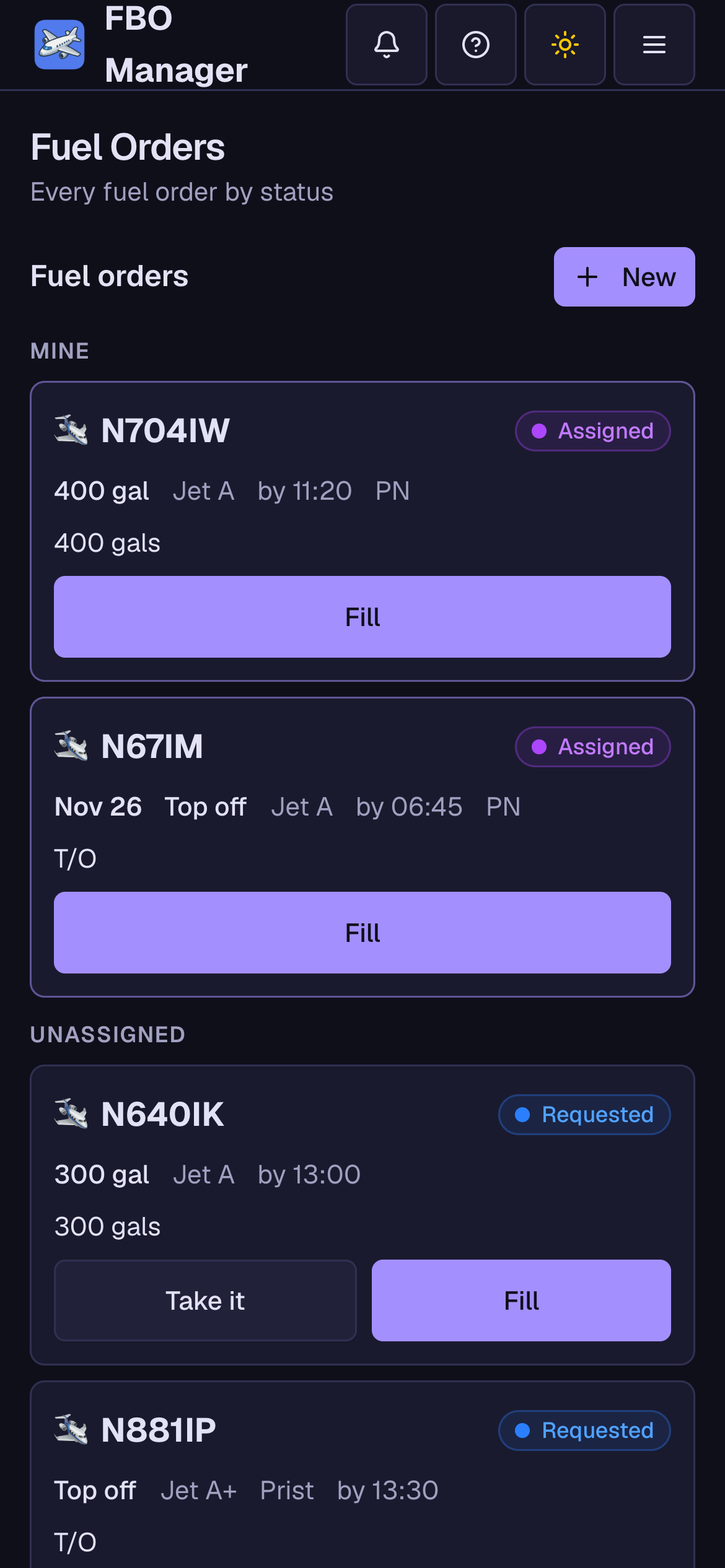
Plate 03 · Essentials plan and up
Fuel orders
Replaces Paper fuel tickets and “did anyone fuel that one?” on the radio.
From the request at the desk to gallons recorded at the wing.
- An orders board by status: requested, assigned, fueling, filled
- Line crew take and fill orders from their phones
- Truck, gallons, meter readings and additive recorded with the order
Plate 04 · Essentials plan and up
Line schedule
Replaces The shift calendar on the wall and the spreadsheet somebody re-types every week.
Who works the ramp, and when.
- Hourly, week, roster and month views
- Coverage for every hour of the day, so a thin shift shows before it happens
- Shifts that run past midnight are shown on both days
- Time off marked on the same schedule
- The next week is filled in for you from the current one
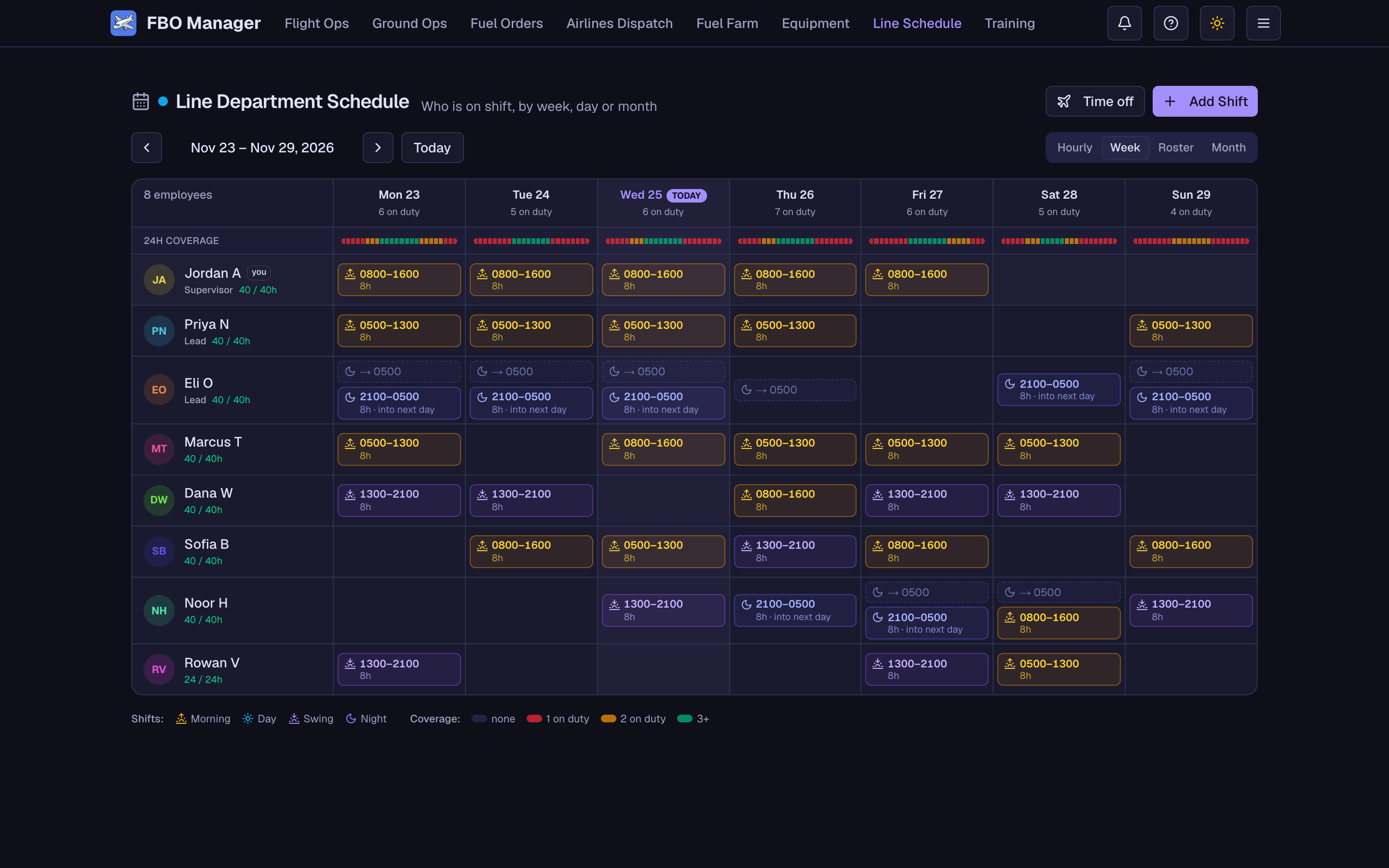
Plate 05 · Essentials plan and up
Your team and in-app help
Each person sees the parts of the system their job needs.
- Sign in with Google; new accounts wait until you give them a role
- View or manage rights per module
- Help pages open beside the screen you are working on
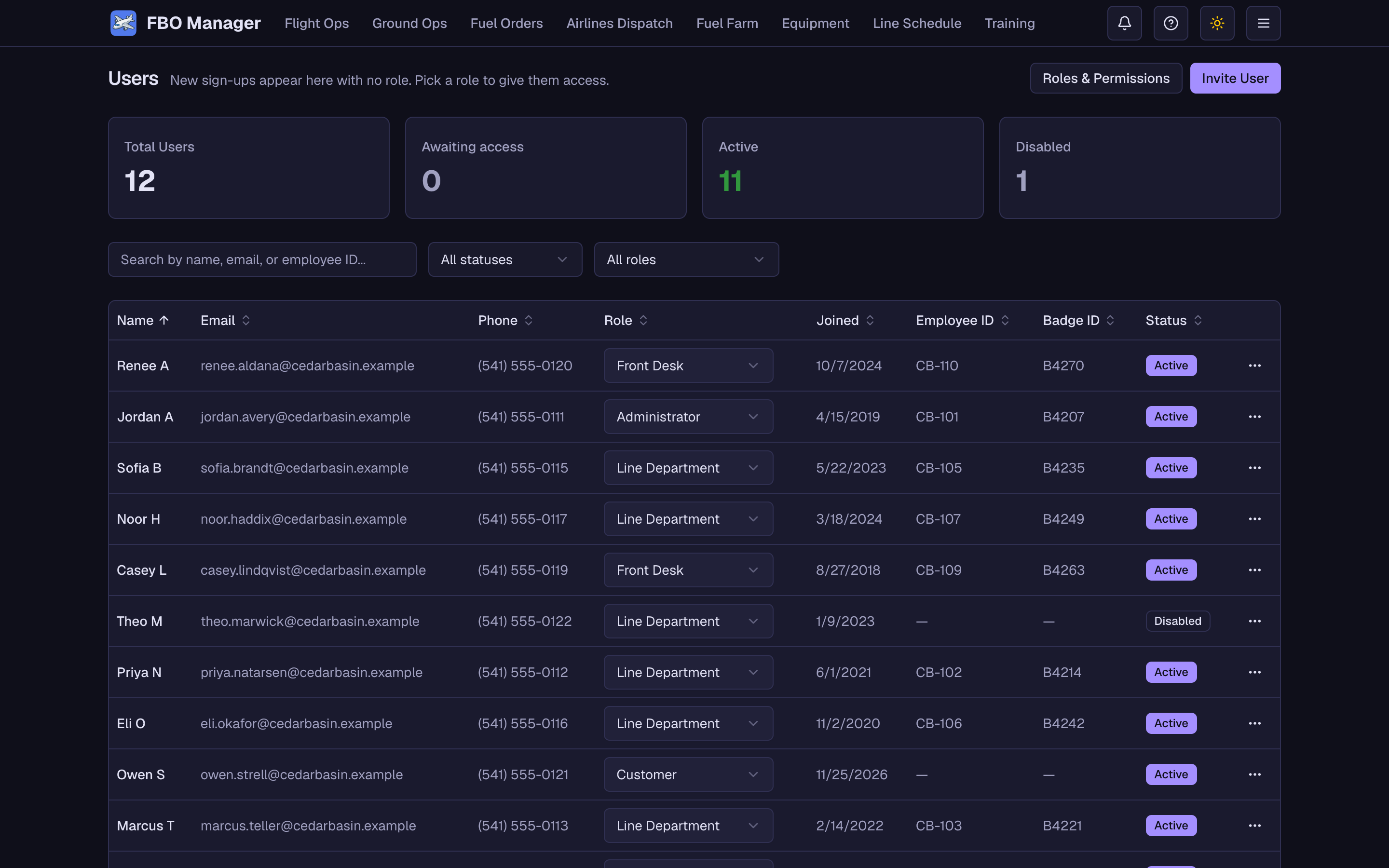
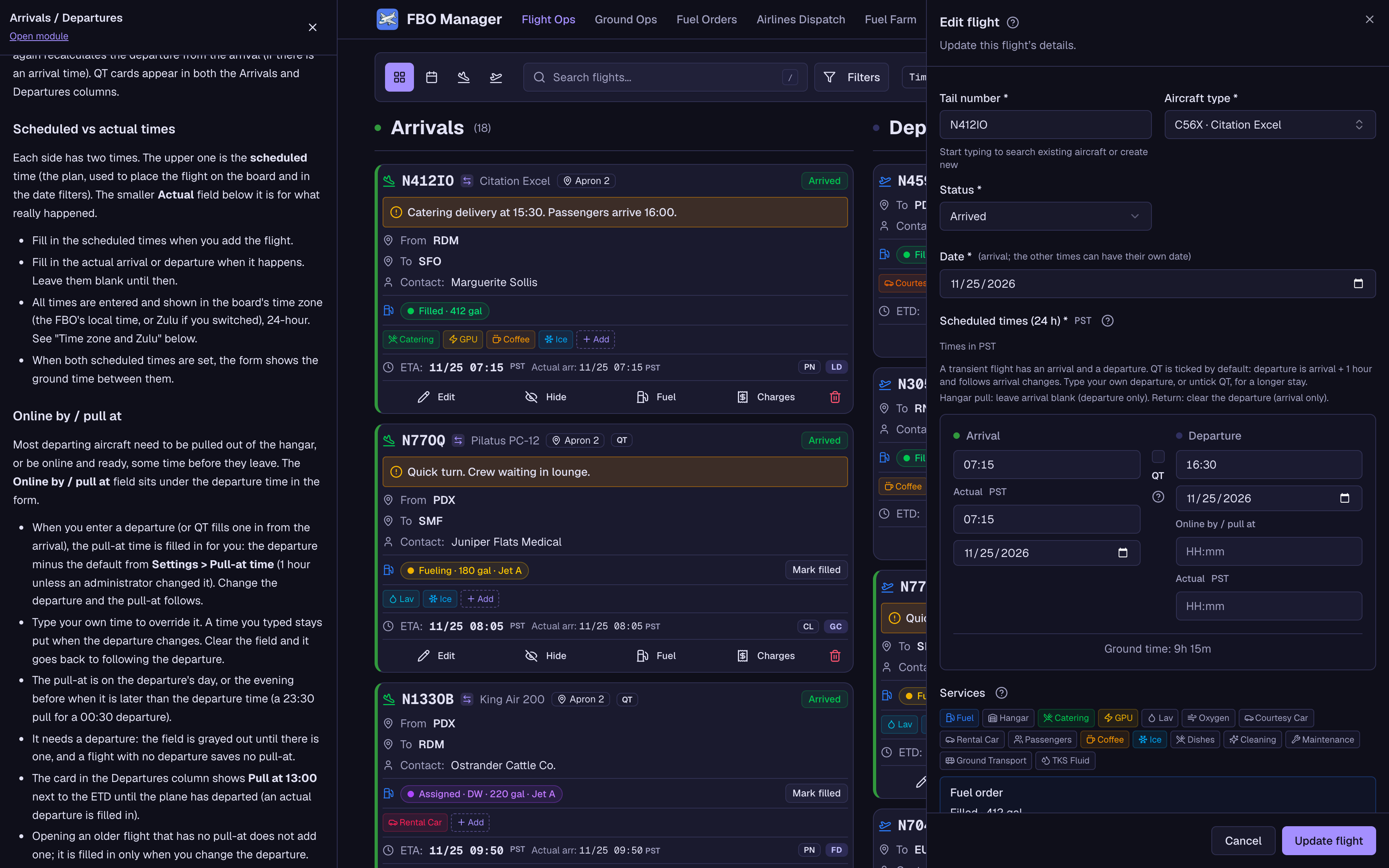
Plate 06 · Operations plan and up
Fuel farm
Replaces The tank stick log, the strapping chart in the binder and the calculator beside it.
Tank levels from the tape reading, without a calculator.
- Enter inches; the tank chart gives gallons, usable fuel and ullage
- Jet A on hand over time
- Gravity check log for each fuel load
- Ullage per tank, so you know what a delivery can take
Needs development per location Tank charts and the tank list are built into the software today. Yours have to be added in development before the figures mean anything.
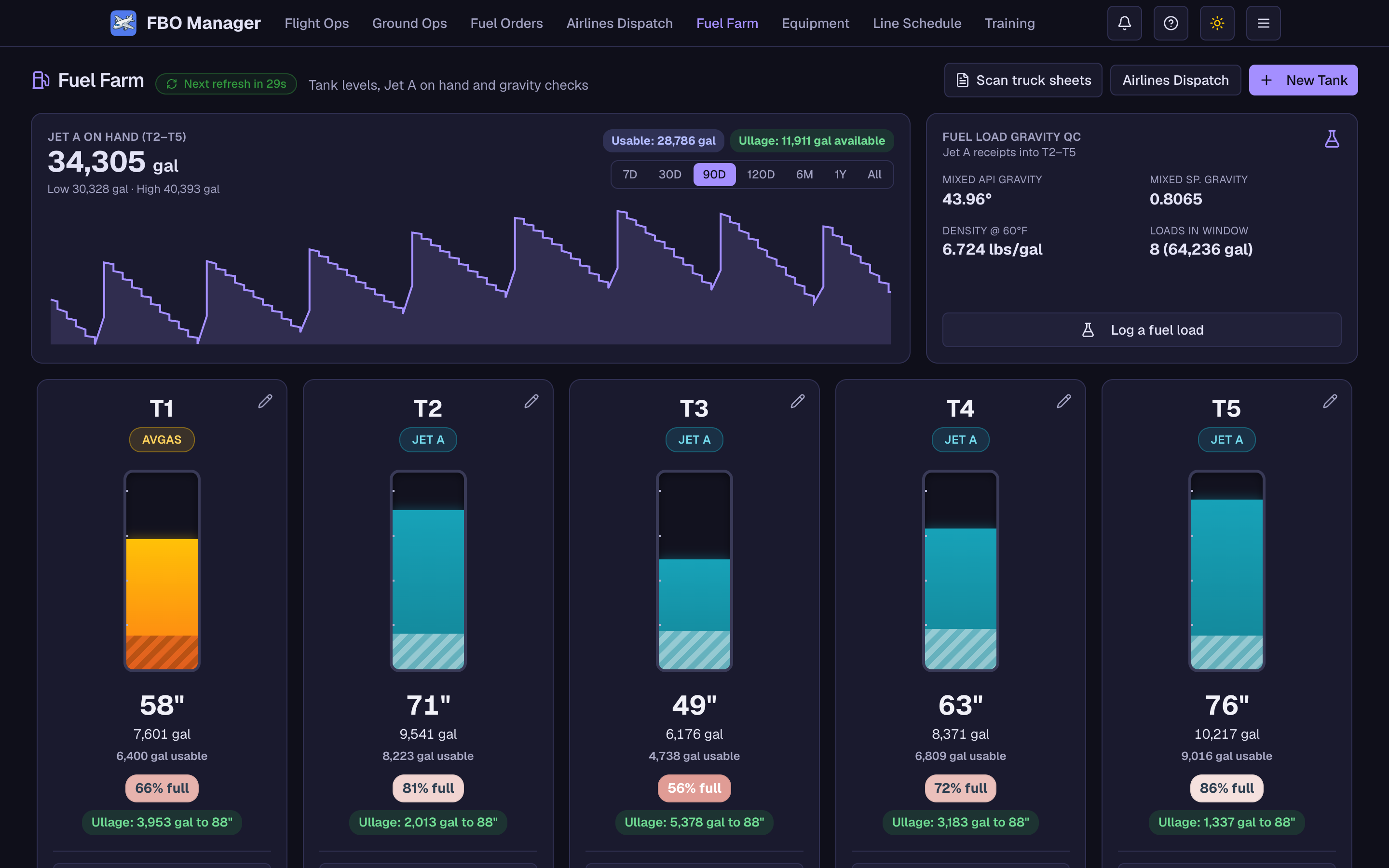
Plate 07 · Operations plan and up
Trucks and equipment
The state of every fuel truck and piece of ground equipment.
- Maintenance items and out-of-service status
- Differential pressure, nozzle pressure and filter changes
- Meter readings and fuel in each truck
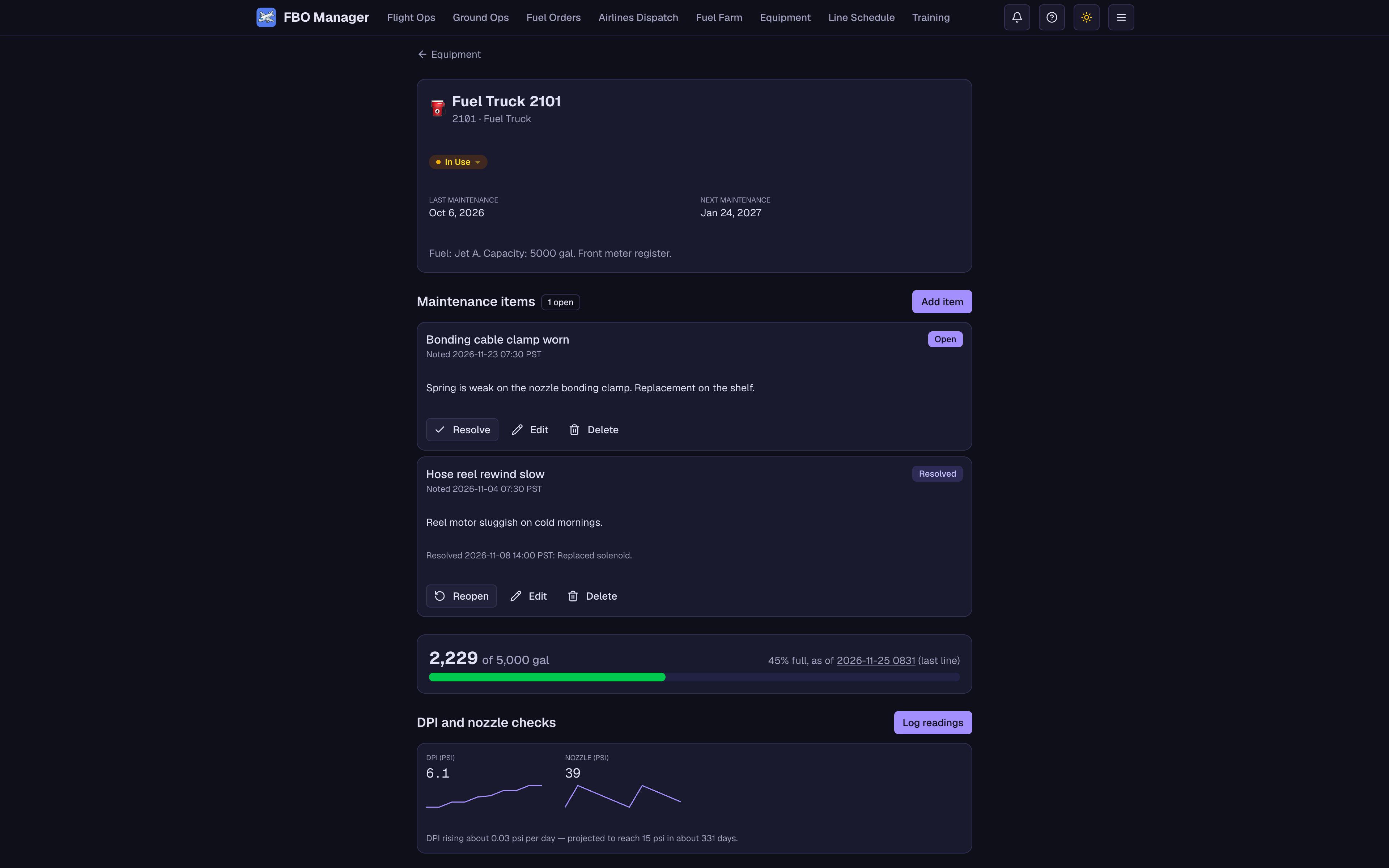
Plate 08 · Operations plan and up
Paper sheet scanning
Photograph the paper your crew already fills in, check what was read, then save.
- Truck sheets, printed flight schedules and the nightly parking inventory
- Every reading is shown beside the page for review before anything is saved
- Works from a phone camera, photos or a PDF
- Reading quality depends on the photo and the handwriting
Needs development per location The readers are built for specific form layouts, and printed schedules are read from one report format only. Your forms need development work first.
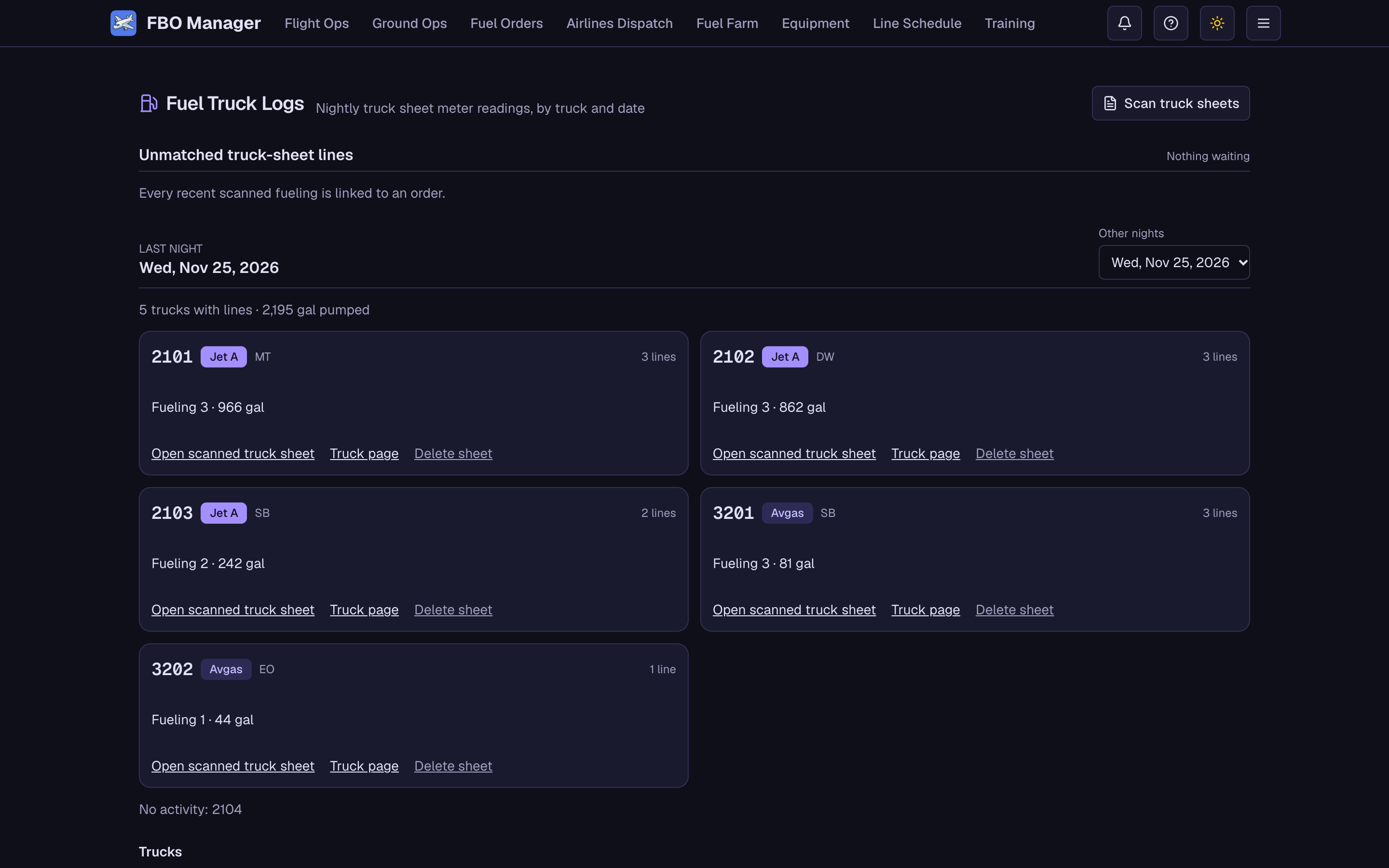
Plate 09 · Complete plan
Training and certifications
A matrix of who is trained and certified for what.
- Current, expiring, expired and missing training at a glance
- Courses with their own validity periods
- Completion dates, certificates and notes on each record
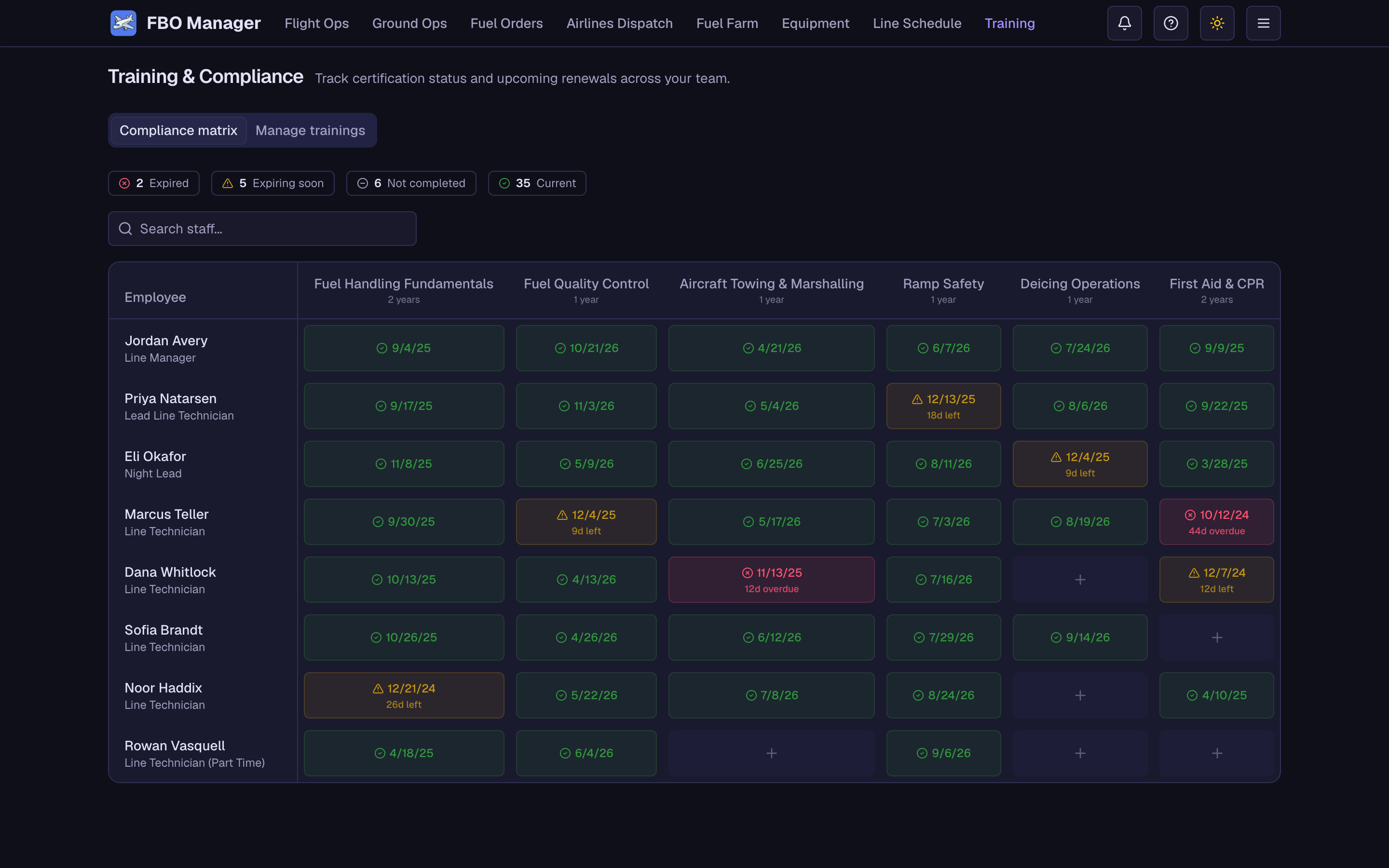
Plate 10 · Complete plan
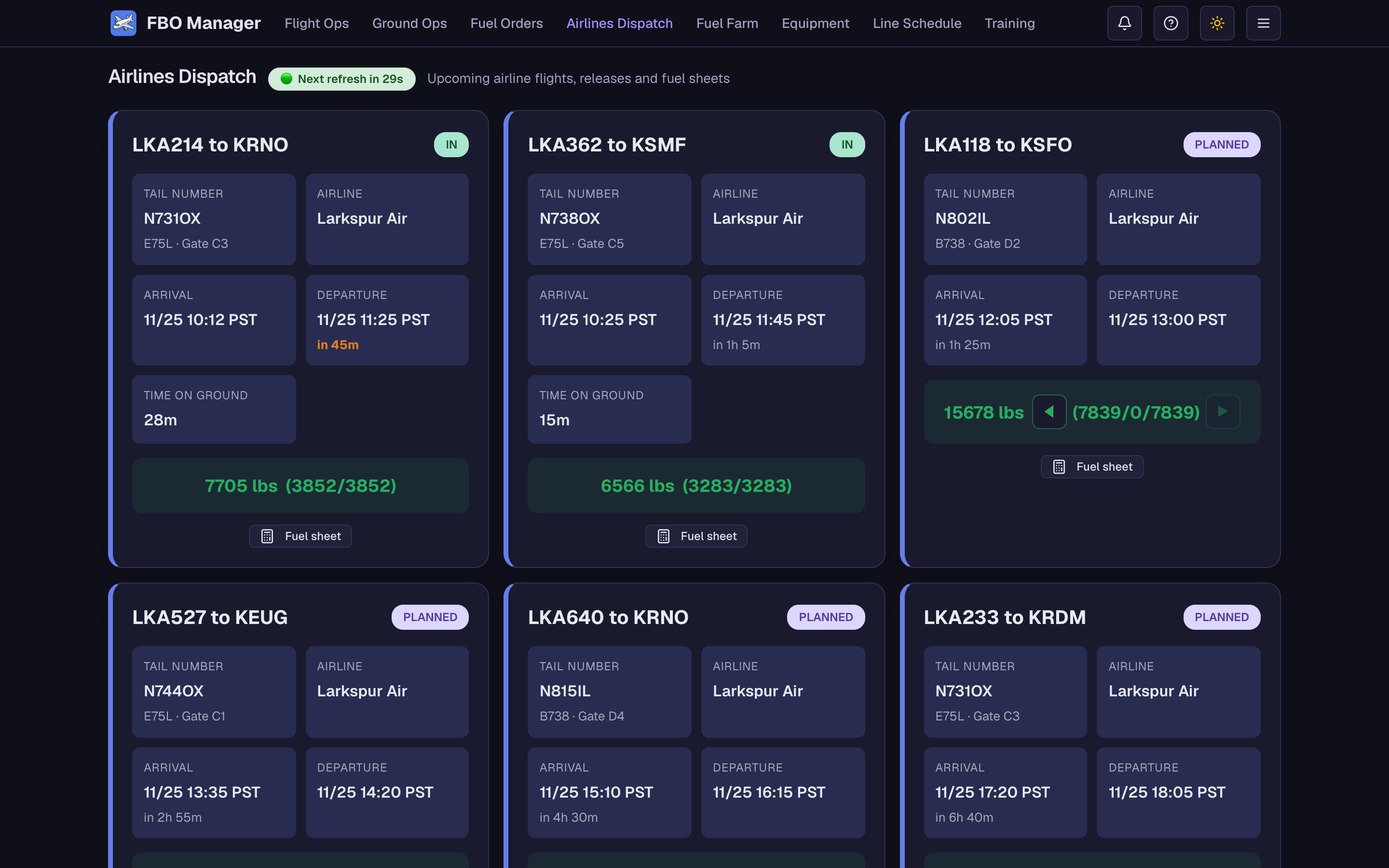
Airline fuel dispatch
Replaces Printed fuel releases, the hand-written fuel slip and the loading math on a clipboard.
For FBOs that fuel airlines and receive their releases through QT Technologies.
- Airline flights and requested fuel, refreshed automatically
- Time on the ground and a countdown to departure on every flight
- Wing loading worksheet and truck meter entry
- Truck, meter start and stop and gallons pumped saved with each fueling
- Requires a QT Technologies account; other feeds are not supported today
Needs development per location Airline matching, printed fuel slips and loading figures are built around particular airline forms. Your carriers need development work first.
Restricted area
Not yet available
These are not built yet. They are not part of any plan, and we do not promise a date here.
- Not yet available Point of sale and invoicing
- Not yet available Card payments
- Not yet available Accounting export
- Not yet available Reporting
Every location is set up by us before go-live, and some features depend on outside data services. We confirm what applies to your location before you sign.
Request a demo
See it with your own ramp in mind
Tell us about your FBO and what you use today. We will show you the software and talk through what fits your location.
- A walkthrough of the screens your crew would use
- An honest list of what works at your airport now, and what needs setup
- Pricing for your location, in writing
Thank you. Your request is in.
We will get back to you by email. You can also write to sales@fbomanager.app. Prefer to talk? Call 407-756-4905.